Vantify Risk Manager
There are two places the files can be pulled from – compliance documents, and general library documentation.
Compliance Documents
A selection of document types will be associated with the keyword, usually the likes of health and safety risk assessments or fire risk assessments – this will be configured by the superuser of Risk Manager or the Vantify Admin team.
Any document type that is assigned the keyword will automatically send across, nothing needs to be done manually for it to work.
Library documents
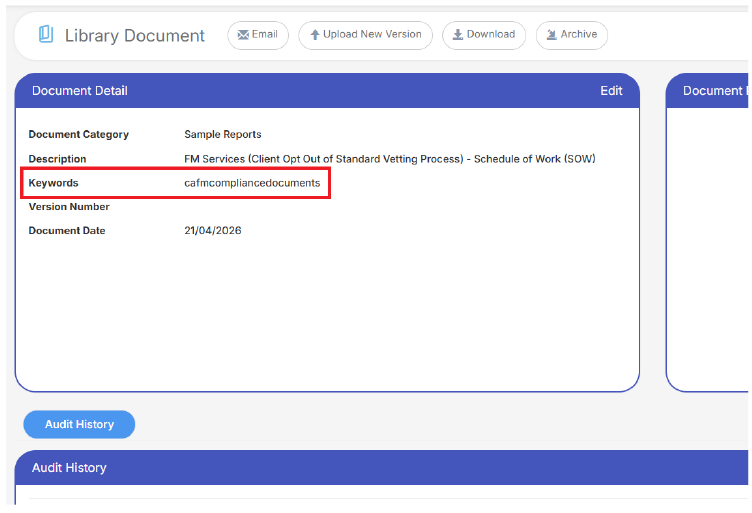
Within the library in the left hand menu, when adding a file, or editing a current file, add cafmcompliancedocuments as a keyword:
CAFM
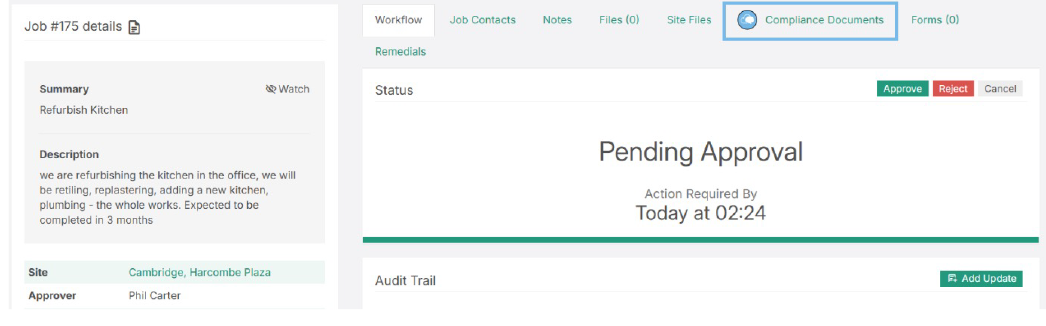
Within a job, when the module is enabled for your client system, you’ll see a Risk Manager “Compliance Documents” section in the tabs of your job:
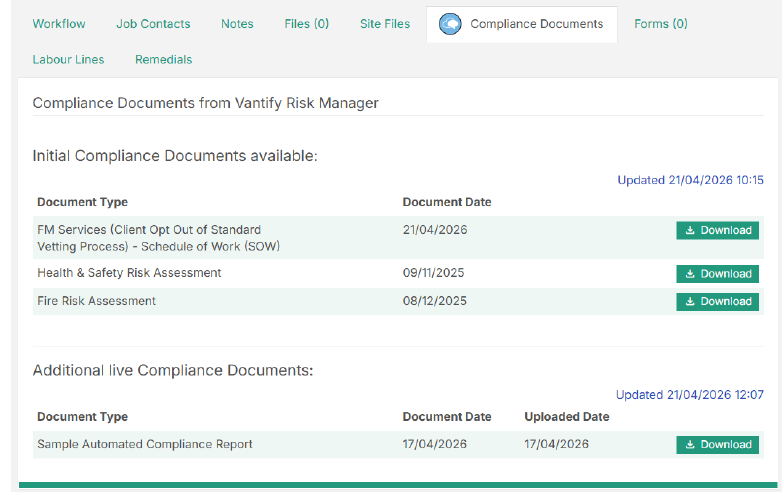
This is split into two sections:
The first section – Initial Compliance Documents available – will display documents that were active at the point of the job being raised. The integration will search in the background at that point and display the files for you to access.
The second section – Additional live Compliance Documents – will do a fresh search every time you return to this page, fetching any files that have been added since the job was first logged.
Note in the below image the time difference – the job was logged at 10:15, so the initial files were fetched, and since then an additional file has been tagged with the keyword – so is now available.
NOTE – you may find that sometimes when you visit the page as soon as you’ve logged the job the top section is empty. This is because you beat the system to retrieving the information! But it’s not a problem, the documents will then show in additional live compliance documents instead.
VANTIFY INTERNAL – setting up the integration
Within settings on CAFM there is already the setting for Risk Manager workflow. On any system that has an active integration, you will see an additional option for Risk Manager Compliance Documents available. Tick this and update to activate:

When this is activated, you’ll see the link within a job, and there are a number of errors that may appear depending on the specific instance:
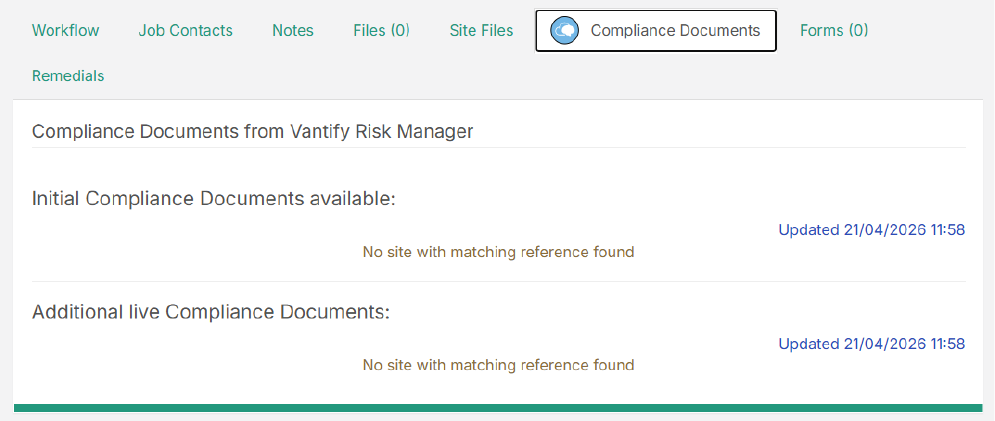
This for example is telling us that the site we’ve selected isn’t on Risk Manager so nothing can be pulled through.
Adding the keyword to a document type
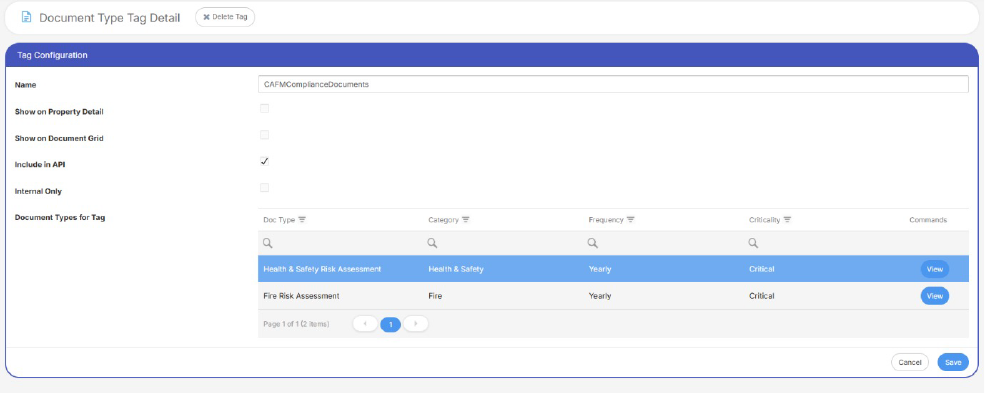
As a Risk Manager admin, go to Document Type Tags and ensure cafmcompliancedocuments is added as a document types and include in API is ticked. Leave the settings of the other document type tags:
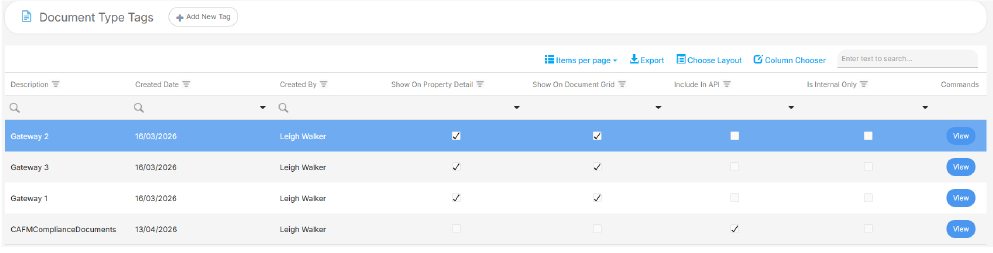
Then open the tag, and ensure there are relevant document types added to the list. The tag will automatically attach to these doc types, ensuring anything added with this document type will push over to CAFM: